inspectorjay Try the live demo

For county and city engineering inspectors

Photo, note, checklist.
Done on site.

Take a geotagged photo, say what you see, and pass or fail the item. By the time you're back in the truck, the report is done and the office already has it.

  • Works offline
  • Keeps every change
Inspection report photos page: site photos with captions naming the checklist item, the note, the coordinates, and the distance from the site center.
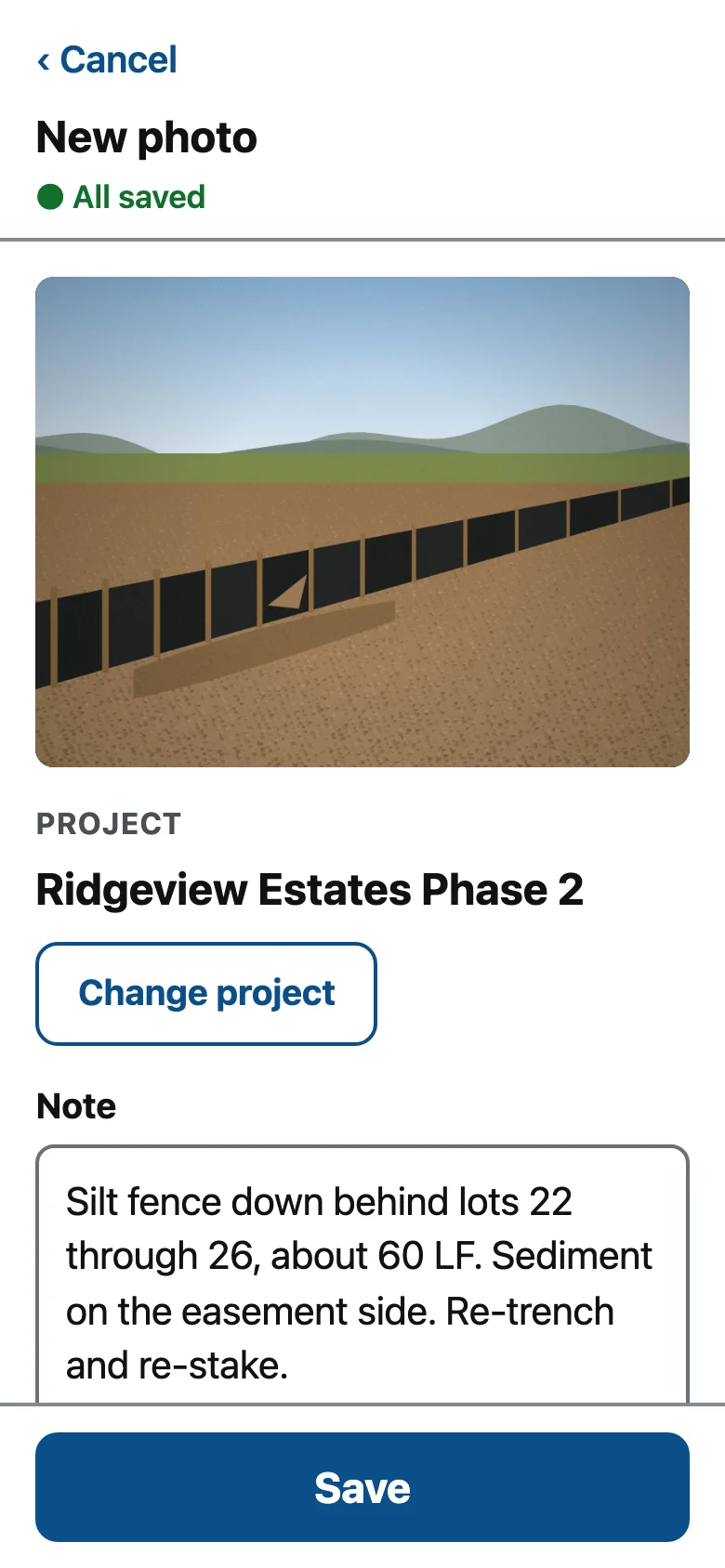
New photo screen: a photo of a silt fence, the project matched automatically from GPS as Ridgeview Estates Phase 2, and a dictated note.

Built for site development, stormwater (SWPPP and MS4), sanitary sewer, and capital projects.

In the field

Made for the inspector's phone

It's built for someone standing in the mud with one free hand. Big buttons, plain words. Inspectors add it to the home screen straight from the browser.

New photo screen with the project matched by location and a dictated note.

Snap it, say it

Every photo records where you stood, when, and who you are. inspectorjay uses that GPS fix to file the photo under the right project, so most days you never touch the project list. Say the note out loud and the keyboard's mic types it.

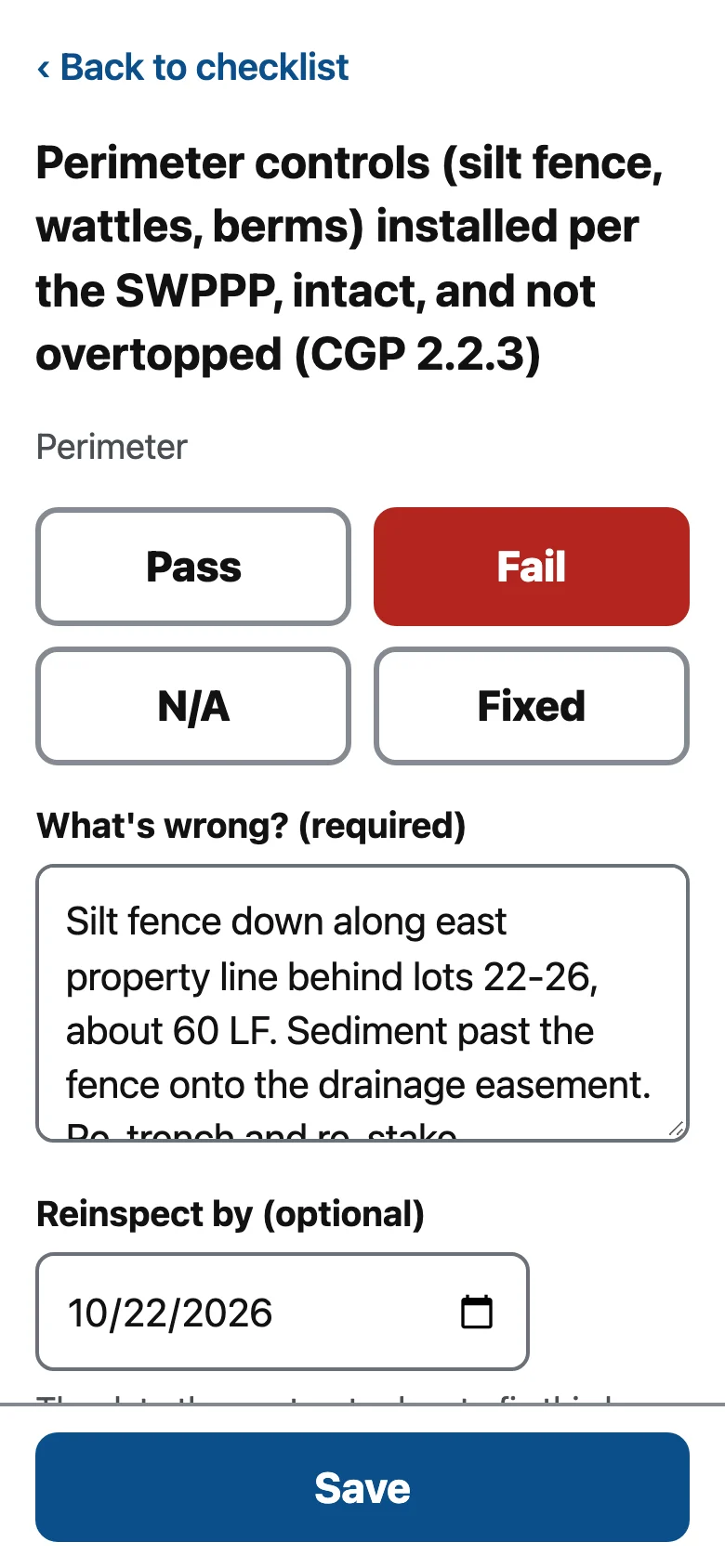
A failed checklist item for perimeter controls, citing CGP 2.2.3, with a required note and reinspection date.

A fail means a follow-up

You can't fail an item without saying why. Add a reinspect-by date and the follow-up lands on your schedule. Once the contractor fixes it, mark it Fixed and the reinspection closes.

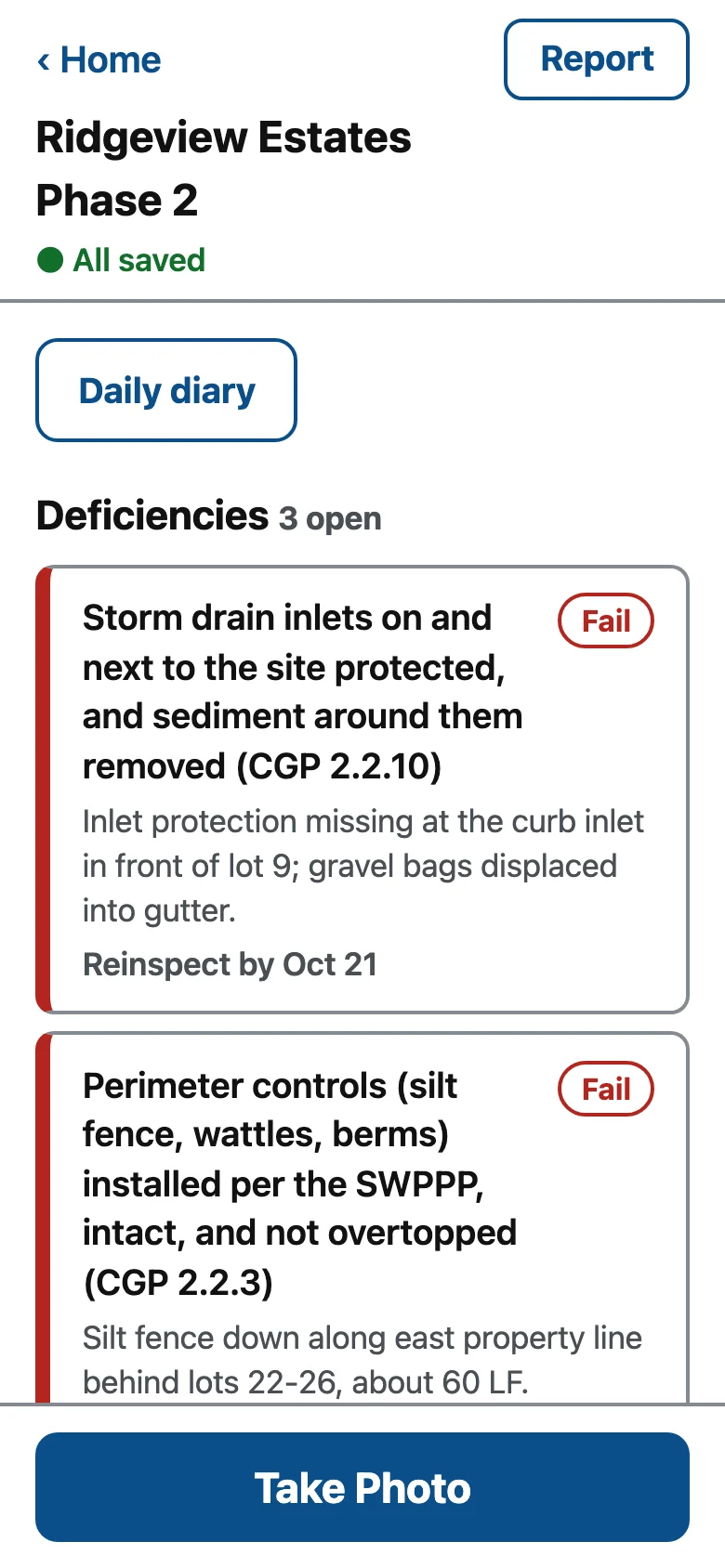
Project screen listing three open deficiencies, each with its note and reinspect-by date.

Open deficiencies first

Open a project and the first thing you see is what's still failing and when it's due. The rest is one tap down.

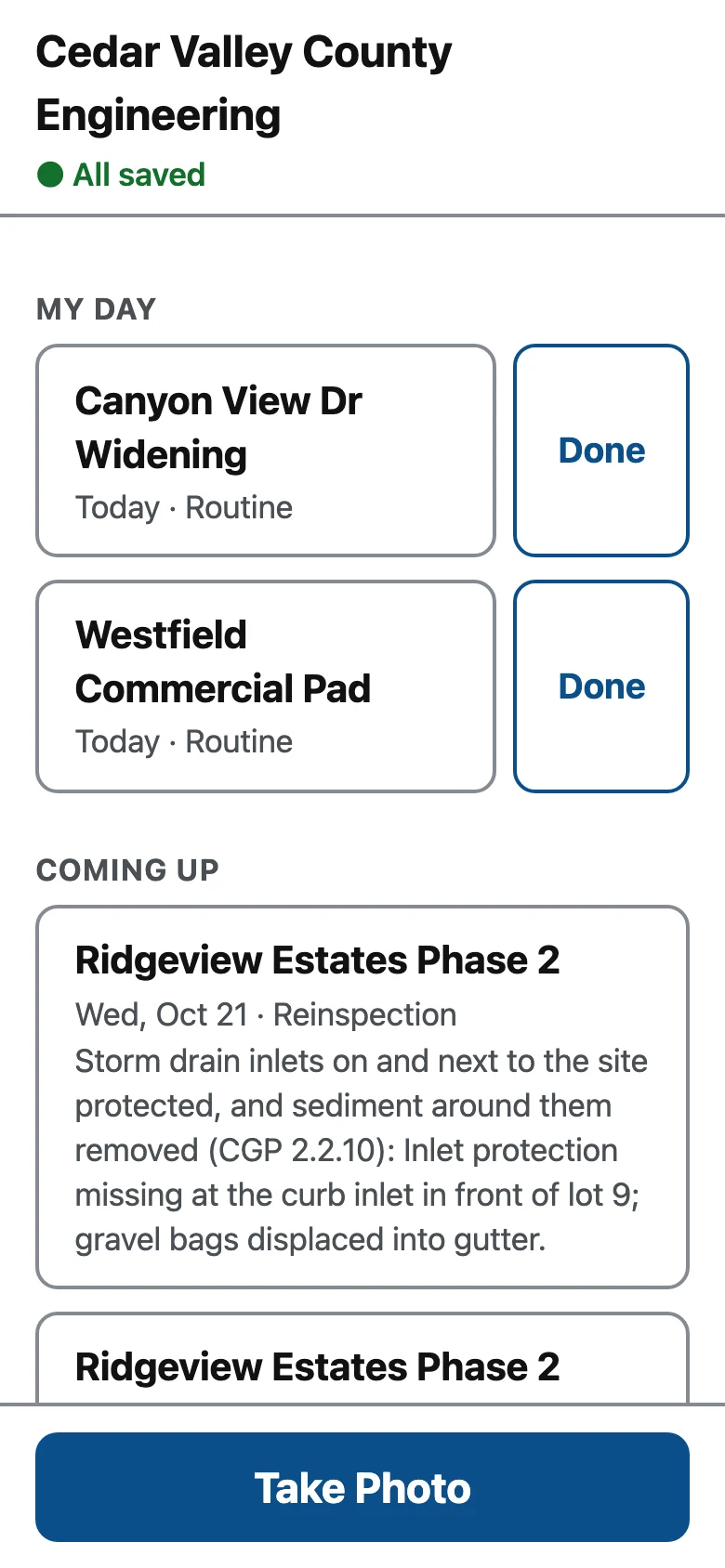
Inspector home screen with the sync status, All saved, at the top, above the day's assigned visits.

Keep working without a signal

Signal has a way of vanishing at the bottom of a trench. inspectorjay saves everything to the phone first and sends it when coverage comes back. The bar at the top of the screen tells you if anything is still waiting.

In the office

The office sees the field as it happens

The website is for everyone back at the office. Field notes show up there as inspectors save them. Nobody types anything twice.

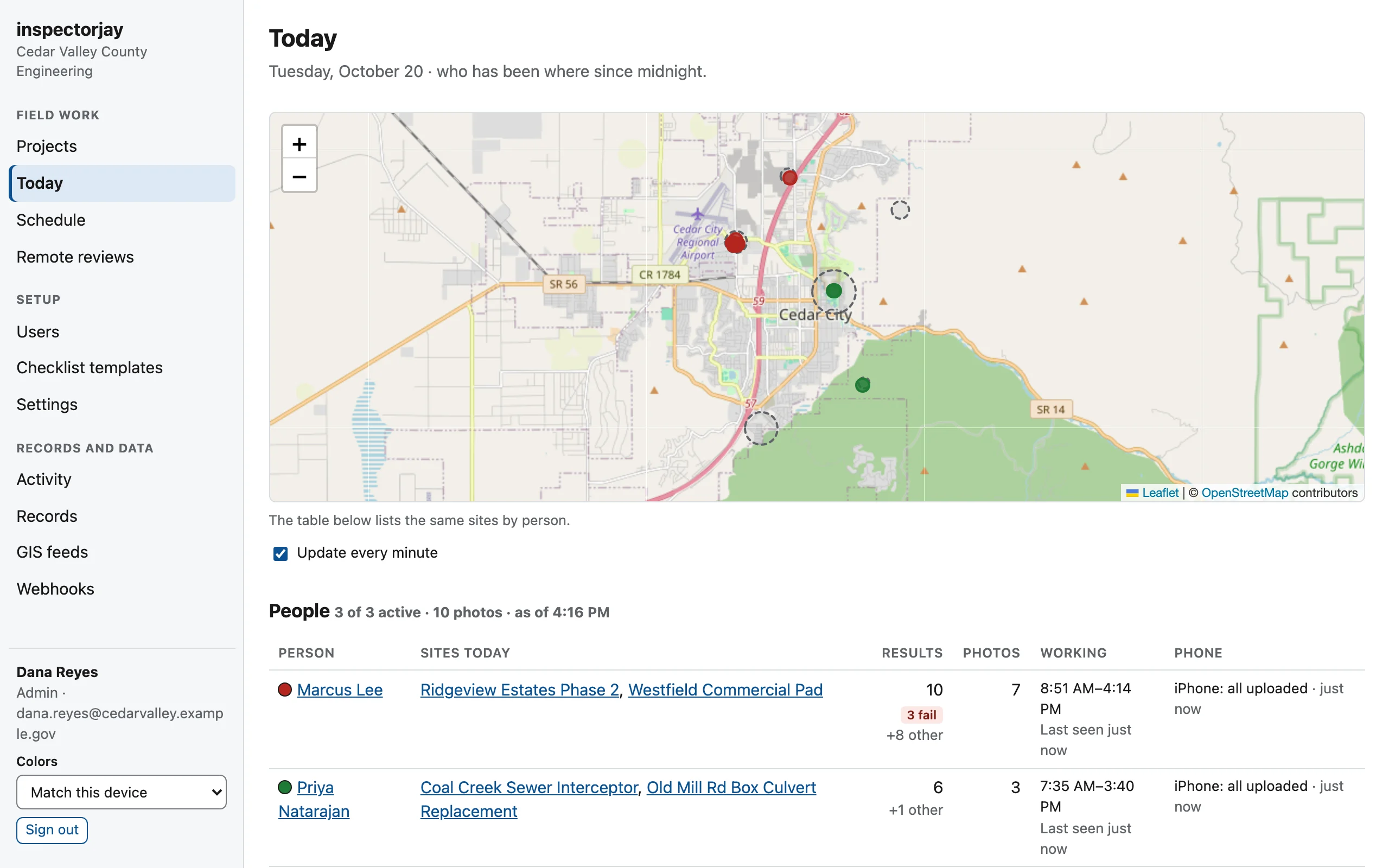
Who's where, today

Did anyone make it out to the culvert job today? The Today map shows every site each inspector has visited since midnight, with results and photos. Visits you schedule show up on the inspector's phone.

Today page: a map of inspectors' sites around town and a table of each inspector's sites, results, photo counts, and hours.

Daily diary to pay estimate

Inspectors log each day's crews, equipment, materials delivered, and pay-item quantities, with how each was measured. Weather fills in from the National Weather Service.

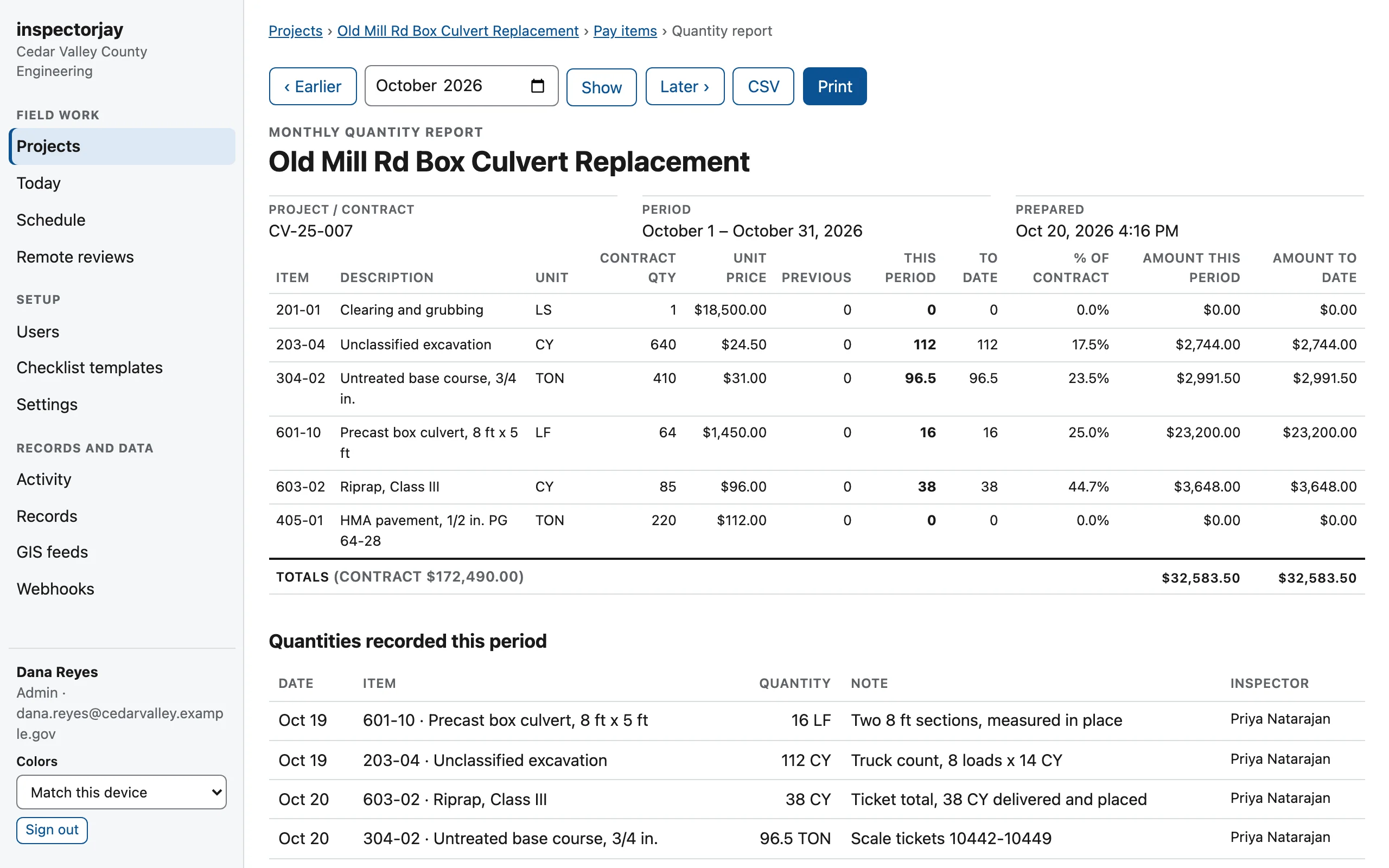
At the end of the month, the quantity report is already added up. For each pay item it shows the quantity this period, the quantity to date, and the percent of contract. Export it to CSV for the pay estimate.

Monthly quantity report for a box culvert replacement: pay items with contract quantity, unit price, this period, to date, and percent of contract, and the daily quantities behind them.

Reports sent from the site

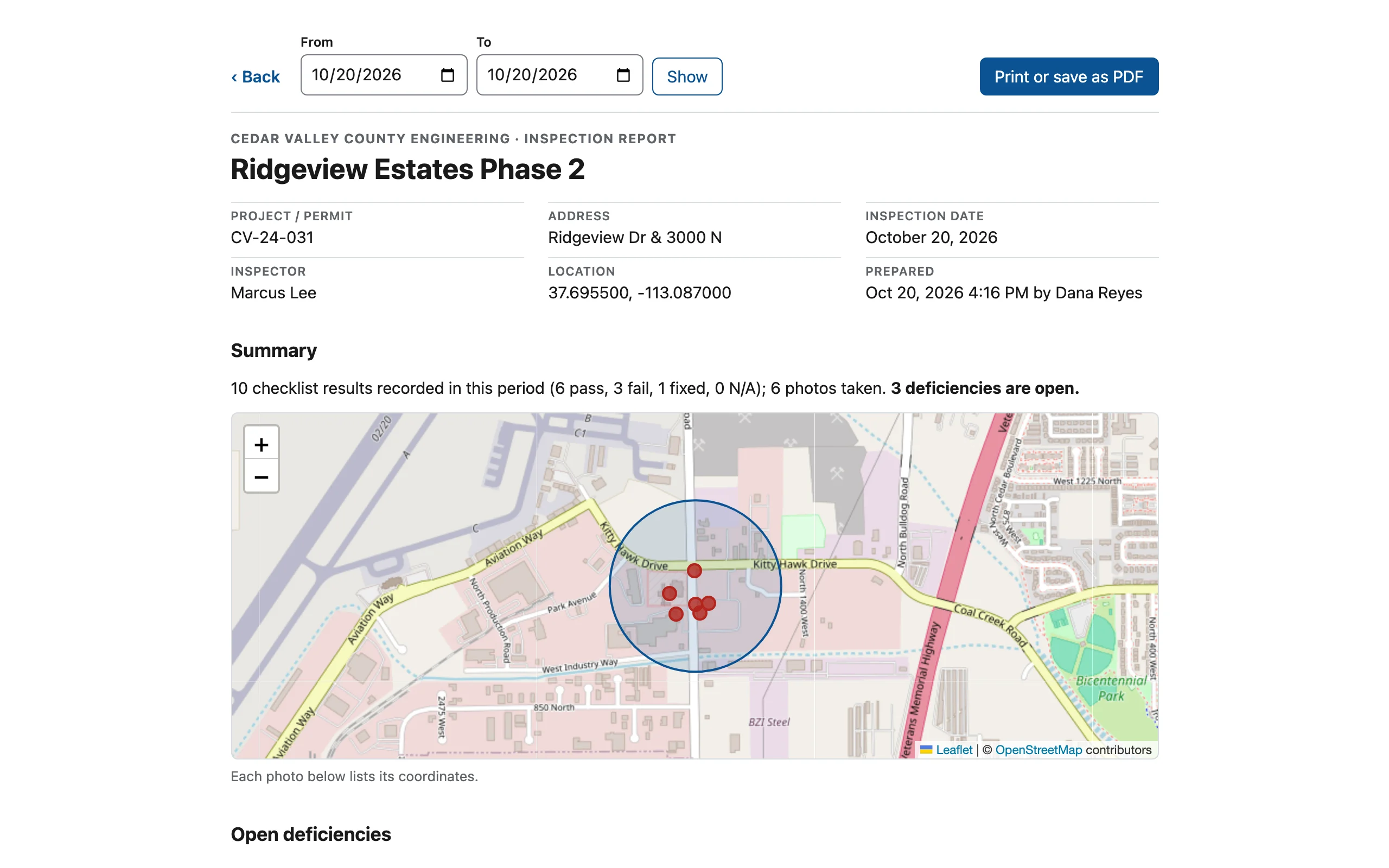
Have the contractor sign on your phone, then email the report to them and the owner before you leave. It has the checklist results, open deficiencies, a site map, and every photo with its coordinates. If someone wants paper, print it to PDF.

Inspection report for Ridgeview Estates Phase 2 with project details, a summary of results, and a site map with photo locations.

Checklists built on your state's permit

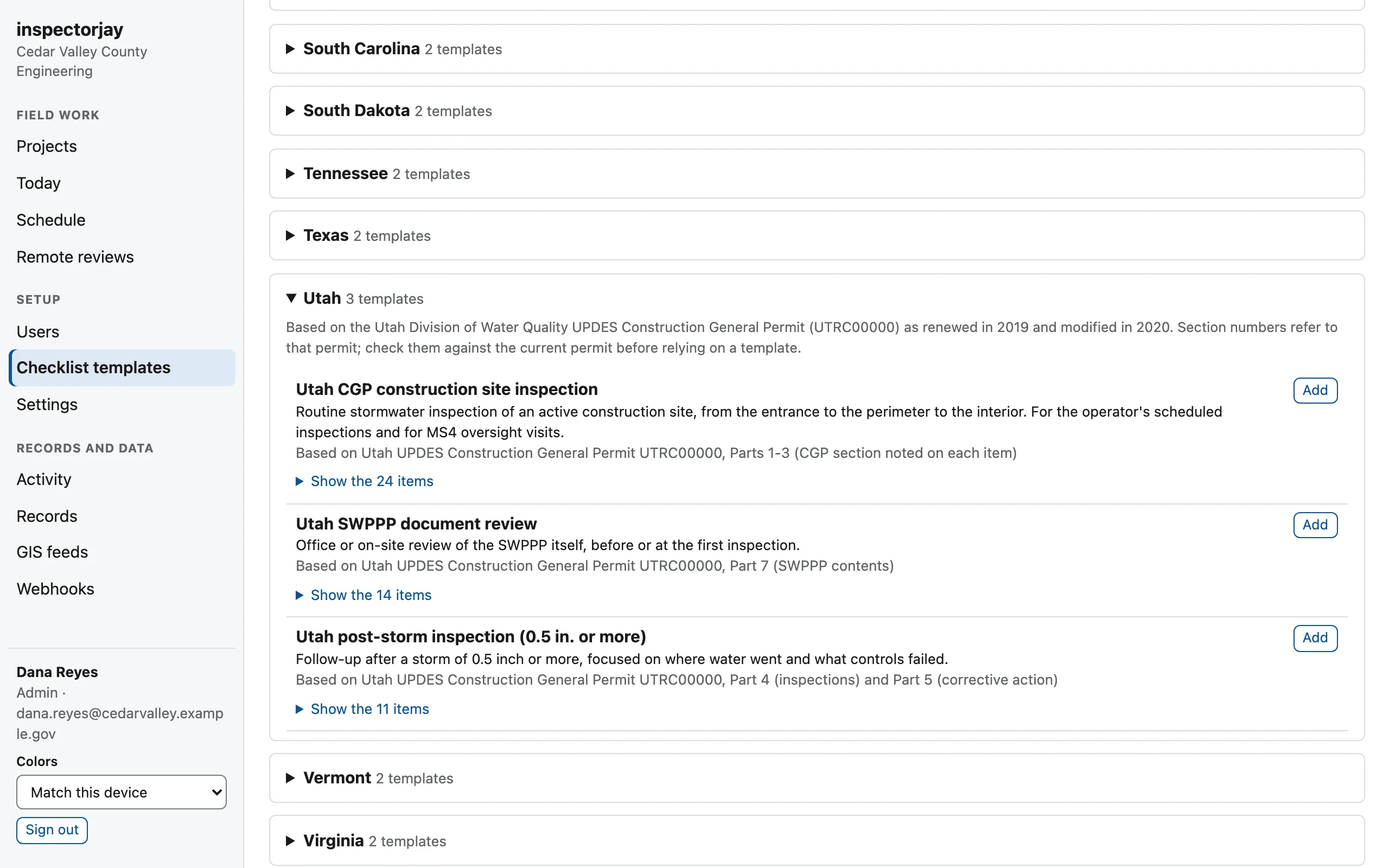
Nobody should have to type up a CGP checklist from scratch. The template library has construction site and post-storm checklists for every state's construction general permit, plus a wastewater pack for mains, laterals, acceptance testing, and FOG.

Treat them as a starting point. Check them against your current permit, change them to match your standards, and pass them to other agencies as a file.

Browse every state's checklists, free to read, print, or download.

Checklist template library open to Utah: CGP construction site inspection, SWPPP document review, and post-storm inspection.

Records

A record that holds up

Sooner or later a contractor disputes a fail, or a records request lands on someone's desk. The answer should already be on file.

  • Every result, note, and photo is stamped with who made it and when, even if the phone was offline at the time.
  • The change log only grows. Removed items stay in the history.
  • Diaries lock after three days. A later amendment records who made it and why.
  • Retention schedules start from your state's defaults. One click exports what a public records request needs.
  • Each project exports to one zip with its checklist, photos, history, diaries, signatures, and report emails.
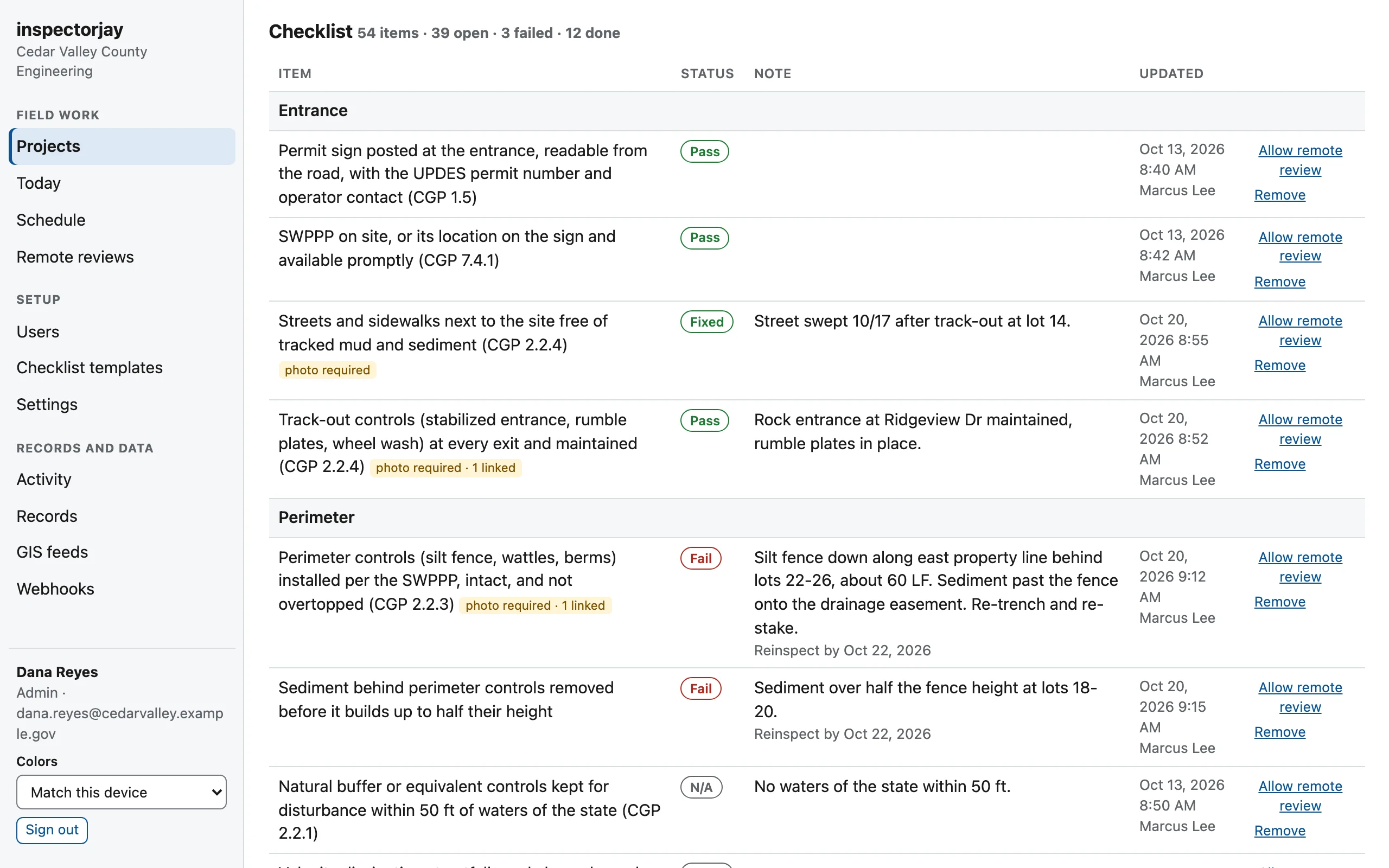
Project checklist in the office view: each item with its status, note, and reinspection date, and the inspector and time of the last change.

Fits your shop

Works with what you already run

Contractor portal

Contractors check their results and request inspections on open dates. For low-risk items they can send photos instead, and you review them from your desk.

GIS

Export GeoJSON or connect ArcGIS to a live feed. Upload site boundaries as GeoJSON for exact site matching.

Permitting systems

Signed webhooks send results to your permitting or asset system as they happen.

Sign-in by email code

A six-digit code by email, so there are no passwords to reset. If a phone goes missing, an admin can sign it out.

Accessibility

An Accessibility Conformance Report (VPAT 2.5, WCAG 2.1 AA) is ready for procurement.

Security

A security packet answers the questions your IT department will ask. Each agency gets its own workspace, with its own database, storage, and keys.

Try it on your next site visit.

Tell us your agency, your state, and what you inspect. We'll set up a workspace for your agency with your state's templates already loaded, and reply within one business day.

Thanks, we have it. We'll email you within one business day. In the meantime, try the live demo.

We'll use this to reply to you, and nothing else.